Count Down To The Days That Matter
EZ Countdowns Counts Down To The Days That Matter: Holidays, Birthdays, Trips, Concerts, Graduations And Everything In Between. It Turns Each One Into A Bright Card That Ticks Away Right On Your Home Screen, Lock Screen And Apple Watch.
It Is Free With A Small Banner Ad, And It Needs No Account Or Sign-Up. Your Countdowns Stay Private: They Live On Your Devices And In Your Own iCloud. EZ Countdowns Is On The App Store Now.
Screenshots
Bright Countdown Cards
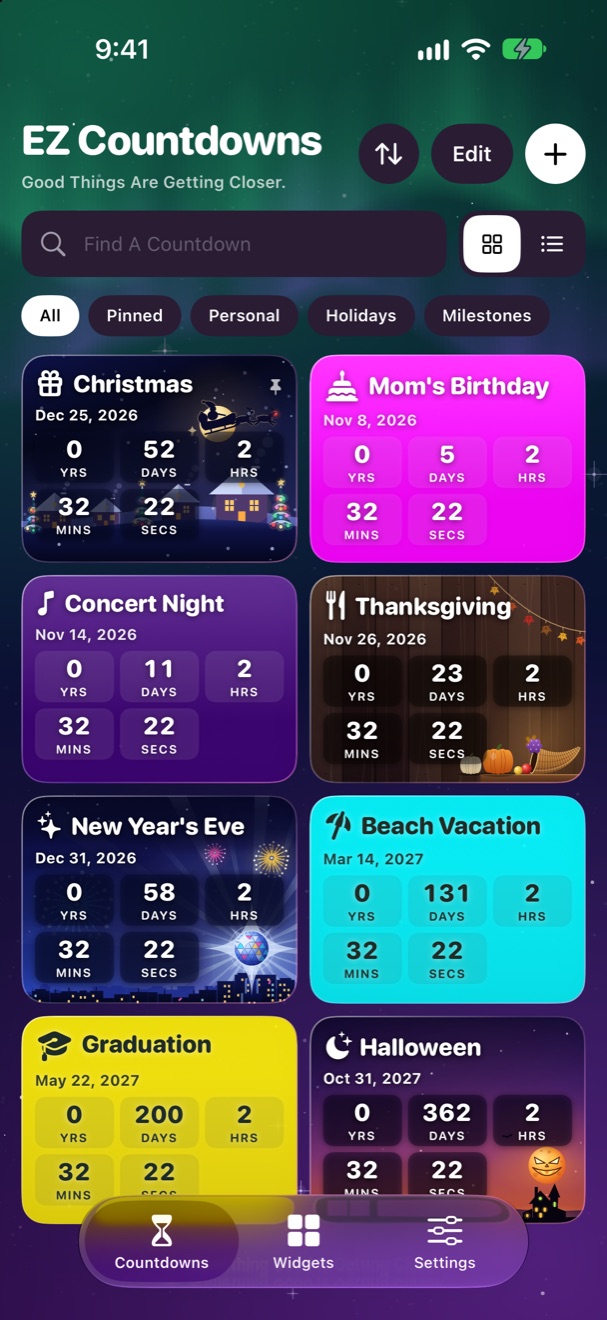
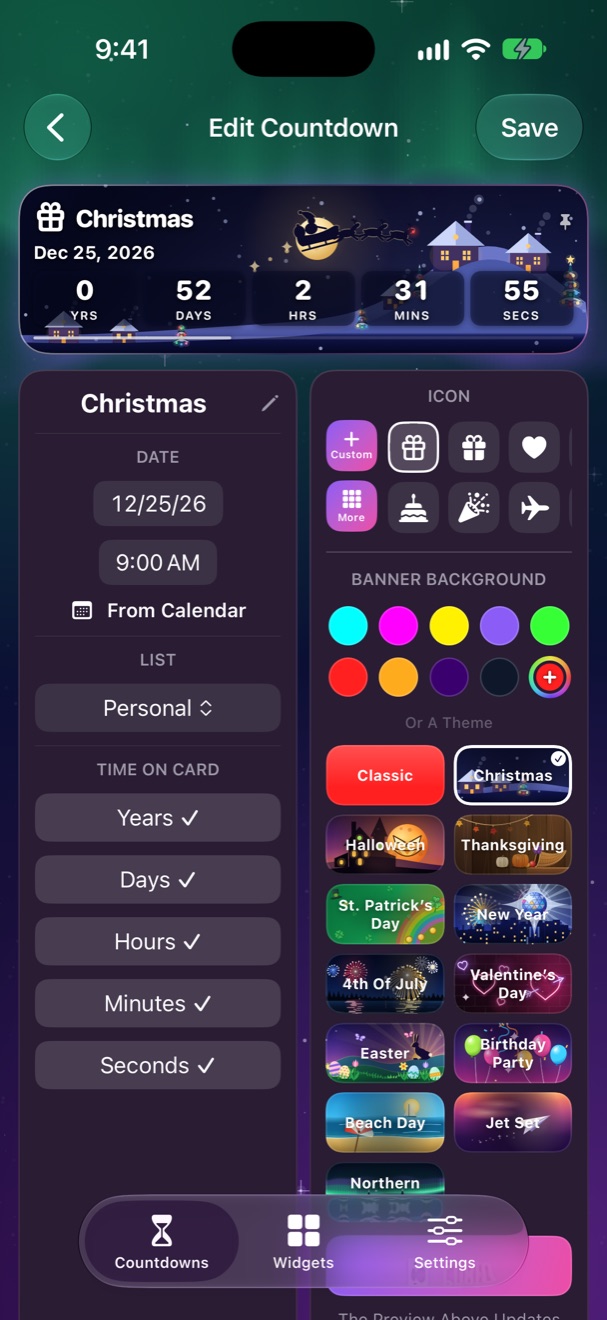
- Nine Vivid Colours And Hundreds Of Icons, With Search To Find The Right One Fast.
- Show Years, Days, Hours, Minutes And Seconds, Or Just The Units You Want.
- Pin Your Favourites To The Top And Sort Them Into Personal And Holidays.
- Birthdays And Anniversaries Repeat Every Year Automatically.
- Keep Counting After The Day Arrives, For Anniversaries And Streaks.
- Add A Little Note To Any Countdown.
- A Compact List Or Large Cards, Your Choice.
- Made For iPad Too: Big Cards That Fill The Screen.
Holidays And Illustrated Themes, Ready When You Open The App
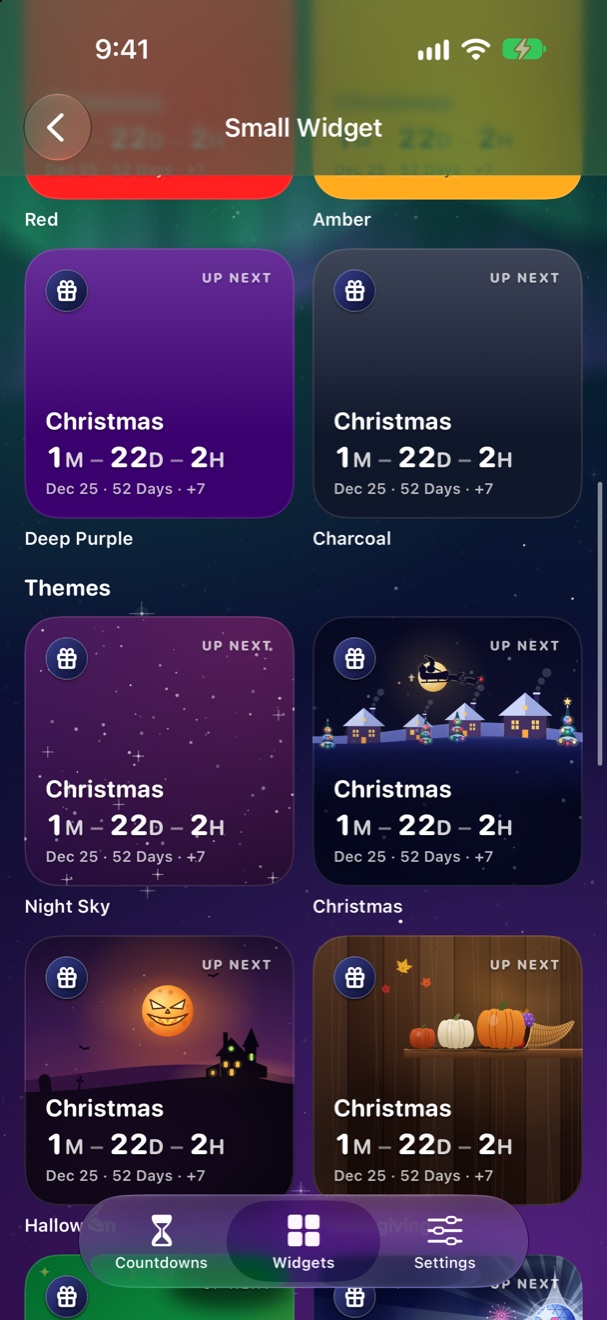
Christmas, Halloween, New Year, Valentine's Day, St. Patrick's Day And Easter Come Ready-Made With Their Own Illustrated Themes, Plus Thanksgiving And The 4th Of July In The US. More Illustrated Themes Cover Everyday Moments: Birthday Party, Beach Day, Jet Set And Northern Lights.
Hide Any Holiday You Don't Celebrate, And Bring It Back From Settings Whenever You Like. Milestone Badges Mark The Big Days: 100 Days To Go, 30, 7, 1, And Anniversaries.
Widgets, Controls And Apple Watch
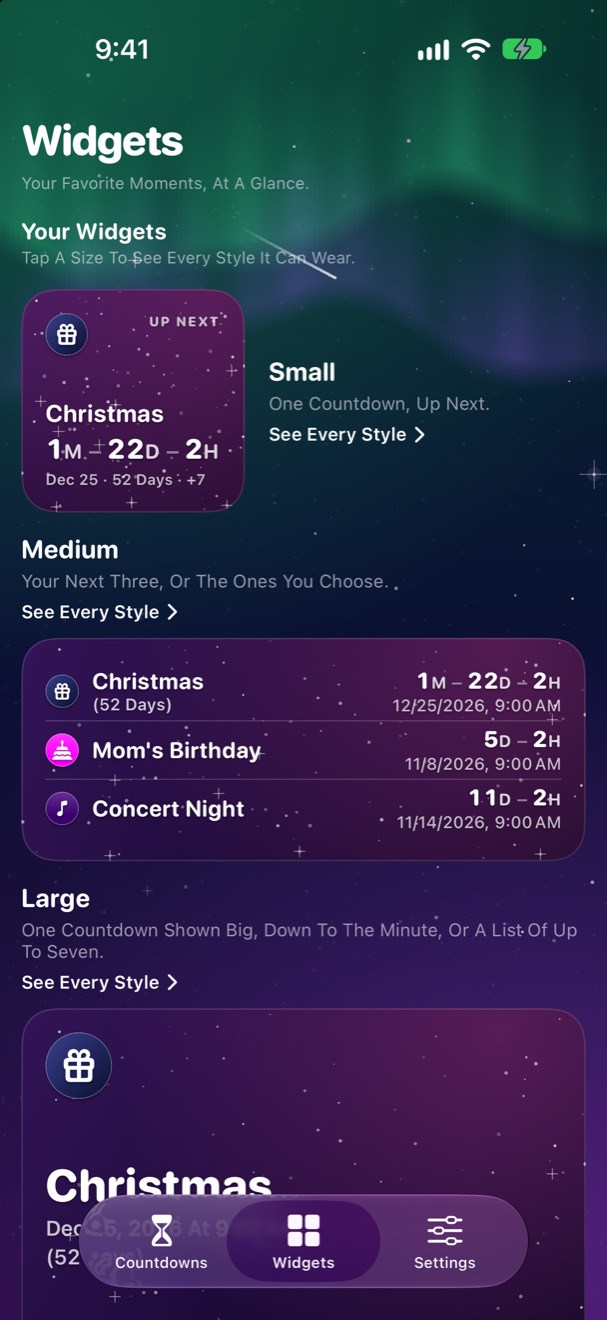
- Small, Medium And Large Home Screen Widgets, Plus Extra Large On iPad.
- Pick One Look In The Widgets Tab And Every Widget Follows It: The Night Sky, A Colour, An Illustrated Theme Or One Of Your Own Photos (Photo Backgrounds Come With Premium).
- Lock Screen Widgets That Show Up To Three Countdowns At A Glance.
- Make Your Own Colours With The Colour Wheel Right Under A Live Preview, And Give Any Widget Its Own Countdowns And Look.
- Control Center, Lock Screen And Action Button Controls On iOS 18.
- An Apple Watch App And Apple Watch Widgets.
- Ask Siri "How Many Days Until Christmas In EZ Countdowns?" Or Use Shortcuts And Spotlight.
Sync, Sharing And Recently Deleted
- A Reminder At The Time Of Any Countdown, Free.
- Syncs Through Your Own iCloud Account, With No Sign-Up And No Account To Make.
- Share A Countdown With A Friend As A Small File That Opens In Their EZ Countdowns, Or As A Picture.
- Deleted Something By Accident? Recently Deleted Keeps It For 30 Days.
Requirements
iPhone And iPad With iOS 17 Or Later, Apple Watch, And Mac Computers With Apple Silicon.
EZ Countdowns FAQ
Is EZ Countdowns Free?
Yes. EZ Countdowns Is Free With A Small Banner Ad. EZ Countdowns Premium Is Optional: A Yearly Subscription With A 7-Day Free Trial, Or A One-Time Purchase, Shown With Its Price In The App Before You Buy.
Does EZ Countdowns Sync Between My Devices?
Yes. Your Countdowns Sync Through Your Own Private iCloud Account, With No Sign-Up And No Account To Make. They Never Come To Me.
Which Devices Does EZ Countdowns Run On?
iPhone And iPad With iOS 17 Or Later, And On iPad Big Cards Fill The Screen. There Is Also An Apple Watch App With Apple Watch Widgets, And EZ Countdowns Runs On Mac Computers With Apple Silicon. Control Center, Lock Screen And Action Button Controls Need iOS 18.
What Does EZ Countdowns Premium Include?
Premium Removes All Ads And Adds Earlier Reminders, Any Colour From The Colour Wheel, Every Illustrated Theme On Your Own Countdowns And Widgets, Photo Backgrounds On Cards And Widgets, Photo Icons, Your Own Lists, Archive, Defaults For New Countdowns, Export, Six Alternate App Icons And Matching App Backgrounds. Choose A Yearly Subscription With A 7-Day Free Trial, Or A One-Time Purchase.
Do The Ads Track Me?
Only If You Allow Tracking When The App Asks. If You Choose Not To, The App Never Receives Your Device's Advertising Identifier And The Ads Are Chosen From Context Alone. EZ Countdowns Premium Removes The Ads Entirely. See The Privacy Policy For Details.
How Do I Get Help?
Send A Message From The EZ Countdowns Support Page. A Person Will Reply, Usually Within 3 Business Days.
Read The EZ Countdowns Privacy Policy, Get Help On The EZ Countdowns Support Page, Or See All Apps.
Apple, iPhone, iPad, Apple Watch, Mac, iCloud, Siri, Spotlight and App Store are trademarks of Apple Inc.